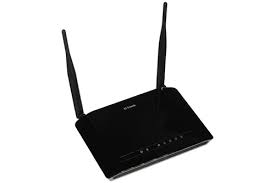
To install your D-Link router, connect it to your internet modem/ISP connection using an Ethernet cable and turn on your router. Connect your computer/phone to the router and access the web-based configuration page of the router. Many D-Link routers have you use dlinkrouter.local or the default IP address 192.168.0.1. The Setup Wizard may then assist you through setup your Internet connection, Wi-Fi name, password and administrator settings.
I would personally take a few more minutes to adjust the security settings on first use rather than just getting the Wi-Fi connected and leave everything with the default settings.
Installation Instructions
Before you begin, have on hand:
-
D-Link wireless router & power adapter
-
Broadband/internet connection enabled
-
Cable Ethernet
-
Laptop or computer smartphone
-
ISP username and password (if your connection requires it)
-
Router's default Wi-Fi/login information, usually printed on its label or supplied documentation
The exact interface and default credentials can vary by D-Link model and hardware revision.
Connecting & Configuring Your Router
Turn off or unplug your modem if you have one.
Plug the Ethernet wire from the incoming Internet connection or modem into the INTERNET/WAN port on the router.
Turn the modem back on and let it boot up.
Plug the D-Link router into power and power it on.
Connect your computer to a LAN wire or connect to the default Wi-Fi network of the router.
Open your browser and type dlinkrouter.local or 192.168.0.1.
Follow the Setup Wizard:
D-Link says the router will immediately sense your Internet connection. Otherwise, you might have to choose the kind of connection and enter the information provided by your ISP, like PPPoE credentials.
Wireless Setup
At setup, you’ll choose a name for your Wi-Fi network, or SSID.
If your router supports both 2.4 GHz and 5 GHz bands, you may also see settings for both. Make sure your Wi-Fi password is strong and has a minimum of eight characters.
One practical idea I would suggest is to choose a recognizable network name without placing any sensitive personal information there.
Security Preferences
Don’t forget the administrator password for the router. The admin password is used to access the router settings, and should not be the same as your Wi-Fi password.
D-Link’s setup instructions specifically recommend creating a different password to access the configuration interface of the router.
And be sure you’re using the strongest Wi-Fi security supported by your router and devices, and keep the router firmware up to date.
Debugging
If setup doesn’t work:
-
Make sure the Ethernet wire is connected to the correct INTERNET/WAN port.
-
Restart your router and modem.
-
During setup, try connecting over an Ethernet cable.
-
Check your ISP connection settings.
-
If dlinkrouter.local does not work, try 192.168.0.1.
-
If you updated the Wi-Fi password, use the new password to reconnect devices.
D-Link recommends connecting the device to the router via a cable connection while the device is being set up, as changing the wireless settings may disconnect a device connected wirelessly.
Frequently Asked Questions
1. What is the default IP address of D-Link routers?
For many D-Link routers, it is 192.168.0.1, although this may differ depending on the model or existing settings.
2. Where can I find my D-Link router settings?
Connect to the router and, in your browser’s address bar, type dlinkrouter.local or 192.168.0.1.
3. How to configure a D-Link Router using Wi-Fi?
Yes. D-Link nonetheless advises a wired connection for the initial setup, if available.
4. My D-Link router is connected, but there's no internet?
Check the WAN connection and power cycle the modem and router. Confirm the correct Internet connection type and ISP credentials have been set up.
Must Read: What is a router & how does it work?