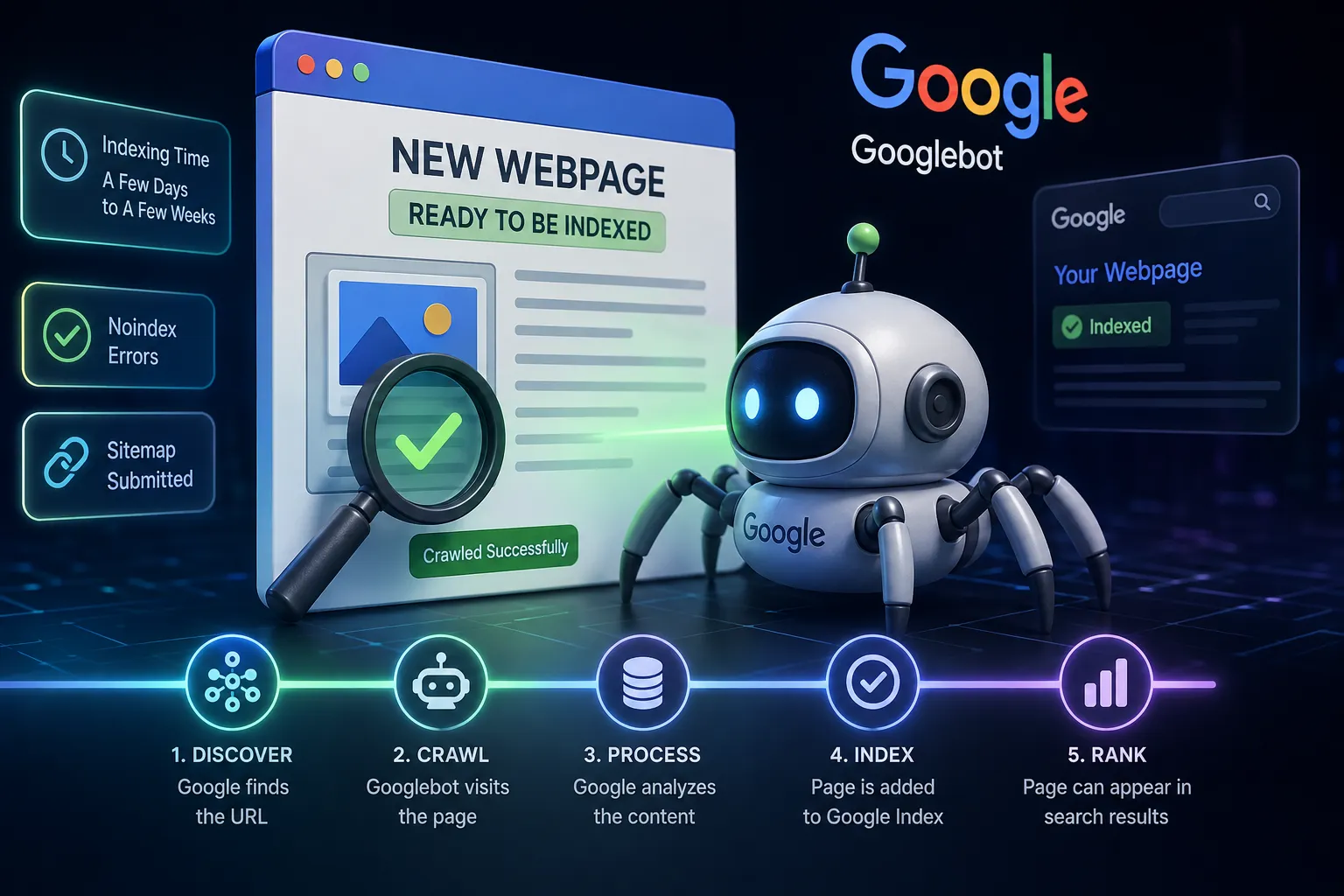
Google can index a new webpage anywhere from a day to a few weeks, depending on how quickly Google discovers, crawls, processes, and evaluates the URL. Google’s official guidance says crawling can take a few days to a few weeks, while some pages may be indexed much faster. A new page is not automatically guaranteed to enter Google’s index, even when it follows technical requirements. For a new URL, submitting it through Google Search Console’s URL Inspection tool can request crawling, but it does not guarantee immediate indexing. A sitemap and strong internal links can also help Google discover new content more efficiently.
How Long Does Google Usually Take?
There is no fixed indexing time for every website. Google states that crawling may take a few days to a few weeks, and the actual time depends on the website, URL discovery, crawl availability, content quality, and other technical signals.
For an established website that Google crawls regularly, a new article may be discovered and indexed relatively quickly. A newer or less frequently crawled website may need longer.
Situation | Typical expectation |
|---|
Established site with regular Googlebot activity | Often faster, sometimes within a day or several days |
New page with good internal links and sitemap | Usually easier for Google to discover |
New or rarely crawled website | May take several days to a few weeks |
Page with technical or indexing problems | Can take much longer or remain unindexed |
Duplicate or low-value content | May not be indexed at all |
These are practical expectations rather than guarantees; Google does not promise that a particular URL will be crawled or indexed.
What Happens Before a Page Is Indexed?
Google Search generally works through three stages: crawling, indexing, and serving search results. First, Google discovers the URL and downloads its content. It then analyzes the page and decides whether and how it should be stored in the Google index. Finally, indexed pages can become eligible to appear in search results for relevant queries.
This means being crawled is not the same as being indexed, and being indexed is not the same as ranking well.
How to Get a New Page Indexed Faster
1. Submit the URL in Google Search Console
For an individual webpage, open Google Search Console → URL Inspection, enter the URL, and use Request Indexing. Google says this puts the URL into a crawl queue, but repeated requests do not make the same page get crawled faster.
2. Add the Page to Your XML Sitemap
An XML sitemap helps Google discover URLs, particularly when you have many new pages or a recently launched website. Google recommends submitting a sitemap when you want Google to discover multiple URLs efficiently.
3. Use Relevant Internal Links
Link the new page from relevant, already-crawled pages on your website. This creates a clear path for Googlebot to discover the new URL and helps Google understand how the page relates to the rest of your site.
4. Check Technical Indexing Signals
Make sure the page is accessible to Google, does not accidentally contain a noindex directive, and has an appropriate canonical URL. Google may choose a different canonical URL when pages contain substantially similar content.
5. Publish Useful, Original Content
Google does not guarantee indexing for every page. Content quality, duplicate-content issues, technical accessibility, and other signals can affect whether a page enters the index.
How to Check Whether Google Has Indexed Your Page
The most reliable method is Google Search Console. Use the URL Inspection tool to check the page’s current indexing status. The tool can show whether Google has an indexed version of the URL and whether the page is eligible for Search.
You can also search Google for the exact URL, although Search Console provides more useful diagnostic information.
Keep in mind that an indexed page may still not rank prominently for its target keyword. Indexing only means Google has included the page in its index; ranking depends on relevance, quality, competition, and many other signals.
Why Is My New Webpage Not Indexed?
If a page remains unindexed for weeks, check for common problems such as a noindex directive, crawl accessibility issues, duplicate content, an incorrect canonical tag, weak discovery paths, or content that Google does not consider useful enough to include. Google specifically notes that not every processed page is necessarily indexed.
A useful troubleshooting workflow is to inspect the URL in Search Console, run the live test, verify the canonical URL, check internal links and the sitemap, and then request indexing where appropriate.
Conclusion
Google can index a new webpage within a day in some cases, but a few days to a few weeks is a normal range. The fastest approach is to make the page technically indexable, add strong internal links, include it in your XML sitemap, and use Search Console’s URL Inspection tool for important URLs. However, no method guarantees immediate indexing, because Google decides which pages to crawl, index, and serve in Search.
FAQs
1. How many days does Google take to index a new page?
Google says crawling can take a few days to a few weeks. Some pages may be discovered and indexed sooner, while others can take longer.
2. Does requesting indexing guarantee that Google will index my page?
No. Request Indexing asks Google to crawl the URL, but Google does not guarantee that the page will be indexed or appear in Search immediately.
3. Can a sitemap help new pages get indexed?
Yes. A sitemap helps Google discover URLs, especially when a website has many new pages or has recently launched. It does not guarantee indexing.
4. Why is my page indexed but not ranking?
Indexing and ranking are different processes. A page can be in Google’s index but still have little or no visibility for a particular search query because Google evaluates relevance, quality, competition, and other ranking signals.
Also read : how to index backlinks of website?