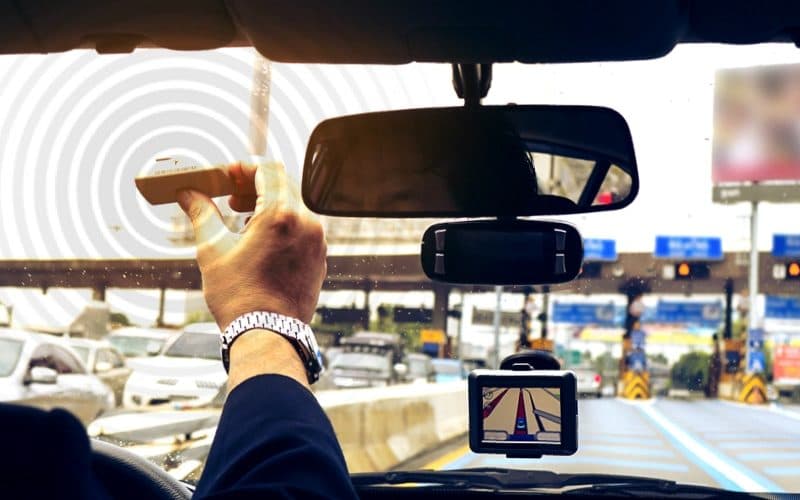
What is FASTag?
FASTag is a rechargeable Radio-frequency Identification (RFID) tag that enables electronic toll collection on Indian national highways. It is affixed to the windshield of your vehicle and allows you to drive through toll plazas without stopping to pay cash. The toll amount is automatically deducted from your linked prepaid or savings account when you pass through a FASTag lane.
Benefits of using FASTag:
- Saves Time: Avoid long queues at toll booths and enjoy a smoother driving experience.
- Cashless Transactions: Eliminates the need to carry cash for tolls, promoting convenience and safety.
- Fuel Efficiency: Reduces stop-and-go traffic at toll plazas, leading to better fuel economy.
- Discounts: Many toll plazas offer discounts for FASTag users, further incentivizing its use.
How to Get a FASTag Immediately?
While immediate issuance might not be possible everywhere, some options offer faster processing:
- Online Application: Several banks and FASTag issuers like Paytm, ICICI Bank, and HDFC Bank, allow online applications. Upload scanned copies of your documents, make the payment, and receive the FASTag at your doorstep within a few days.
- Point-of-Sale (POS) Activation: Visit select NETC-operated toll plazas with your vehicle and documents. Fill out the application form, submit the required documents, and get your FASTag activated on the spot. However, this service might not be available at all plazas.
General Process to Apply for a FASTag:
- Choose an Issuer: Select a bank, online platform, or toll plaza offering FASTags.
- Submit Documents: Provide the following documents:
- Vehicle Registration Certificate (RC)
- Passport-size photograph of the vehicle owner
- KYC documents for ID and address proof (e·g·, Driving Licence, PAN Card, Passport)
- Make Payment: Pay the initial FASTag issuance fee and recharge amount using online payment methods or at the POS counter.
- Receive and Activate FASTag: The FASTag will be delivered to your address or issued on the spot at the POS· Activate it online or through the mobile app of the chosen issuer.
- Link your Account: Link your FASTag to your prepaid account or savings account for automatic toll deductions.
Documents Required to Apply for a FASTag:
- Vehicle Registration Certificate (RC): This document verifies vehicle ownership and registration details·
- Passport-size Photograph: Required for identification purposes·
- KYC Documents (any one):
- Driving Licence: Provides both ID and address proof·
- PAN Card: Serves as address proof·
- Passport: Valid passport (photocopy of both front and address pages) serves as both ID and address proof·
Delivery Time for FASTag:
Delivery timelines vary depending on the chosen method:
- Online Application: Typically takes 3-5 business days for delivery to your registered address.
- POS Activation: You might receive the FASTag on the spot at select toll plazas.
Additional Information:
- Minimum Recharge Amount: The minimum recharge amount can vary depending on the issuer, typically ranging from ₹100 to ₹200.
- FASTag Validity: FASTags are generally valid for five years from the date of issuance.
- Toll Charges: FASTag users might be eligible for discounts on toll charges compared to cash payments.
Remember:
Always choose a FASTag issuer authorized by the National Electronic Toll Collection (NETC).
Ensure your FASTag is properly affixed to your vehicle's windshield for accurate toll deductions.
Maintain sufficient balance in your linked account to avoid toll payment failures.
By following these steps and considering the additional information, you can obtain a FASTag conveniently and enjoy a smoother and faster toll booth experience.