A
adam abdel· 1 year ago
Simplifying learning through practical guides, educational resources, and easy-to-understand explanations.

What Is MyKaty Cloud? (Complete 2026 Guide for Katy ISD Parents, Students & Staff)

0
683

Join this conversation

Sort By

Quick Answer: MyKaty Cloud (also called MKC) is the official single sign-on (SSO) web portal for Katy Independent School District (Katy ISD) in Texas. It gives students, parents/guardians, and staff one login to access district applications like Home Access Center (HAC), Canvas, SchooLinks, Discovery Education, and eSchool — without needing separate usernames and passwords for each tool.


MyKaty Cloud at a Glance

AttributeDetail
Full nameMyKaty Cloud (MKC)
TypeSingle sign-on (SSO) portal / education technology platform
Operated byKaty Independent School District (Katy ISD), Texas
Login technologyClassLink (also supports Quickcard sign-in)
Primary usersK–12 students, parents/guardians, teachers, and staff in Katy ISD
Access URLlaunchpad.classlink.com/katyisd
Devices supportedWindows, macOS, iOS, Android — any device with internet access
Security requirement (2025+)Multi-Factor Authentication (MFA) for guardian accounts

What Does MyKaty Cloud Do?

MyKaty Cloud functions as a digital front door for everything a Katy ISD student, parent, or employee needs during the school day. It is a web portal that provides Katy ISD staff and students with a single sign-on location to access district applications and educational resources. Instead of remembering a dozen different logins, users sign in once and gain access to a dashboard of application "tiles."

MyKaty is available anywhere the user has internet access and is compatible with major operating systems such as Windows, iOS, and Android, allowing access from any available device. After a user logs in to MyKaty, many linked applications open automatically — for example, selecting Discovery Education after signing in logs the user in without asking for credentials again.

What Can You Access Through MyKaty Cloud?

MyKaty Cloud connects users to the core Katy ISD digital ecosystem, including:

  • Home Access Center (HAC) — grades, attendance, schedules, and report cards for students and parents
  • Canvas — the district's learning management system for assignments, course calendars, and class resources
  • SchooLinks — college and career planning, used through a Guardian Dashboard for parents
  • eSchool — administrative student information system
  • Discovery Education and other digital library/database resources, including the A+ Library Resources folder where students can find databases and other learning resources
  • Additional district-licensed learning apps and tools, depending on the user's role (student, parent, or staff)

Who Uses MyKaty Cloud?

Students are typically logged into MyKaty Cloud automatically through ClassLink at school, giving them quick access to library databases, Canvas, and classroom apps.

Parents and guardians use MyKaty Cloud primarily as the gateway to Home Access Center. Guardians are required to log in through MyKaty Cloud to access Home Access Center, a step introduced to add Multi-Factor Authentication for accounts that had not previously logged into MKC. Parents use the same username and password for MyKaty Cloud that they previously used for Home Access Center directly.

Staff and teachers use MyKaty Cloud for daily administrative and instructional tools, and can recover access issues through the district's Password Self-Service system or Technology Support Center.

How Do You Log In to MyKaty Cloud?

  1. Go to the MyKaty Cloud portal at launchpad.classlink.com/katyisd.
  2. Sign in with your Katy ISD username and password, or use the Quickcard or ClassLink sign-in options.
  3. For guardians accessing Home Access Center, complete Multi-Factor Authentication (MFA) the first time you log in.
  4. Once signed in, select the tile for the application you need (HAC, Canvas, SchooLinks, eSchool, etc.).

Forgot your password?

  • Students can contact their teacher, who can look up their password.
  • Staff and high school students should register with Password Self-Service in advance so they can retrieve or reset a forgotten password on their own.
  • Staff without self-service access can contact the Technology Support Center.
  • Parents experiencing HAC login trouble should contact their student's home campus attendance clerk, and should not use their student's login credentials.

Why Did Katy ISD Require MFA for MyKaty Cloud?

Starting January 15, 2025, guardians were required to log into MyKaty Cloud to access Home Access Center as a new security measure, applying specifically to guardians who had never previously logged into MKC. This change was designed to strengthen account security around sensitive student data (grades, attendance, and personal information) by adding an extra identity-verification step beyond a username and password.

MyKaty Cloud vs. Home Access Center vs. Katy 1 Source

These three names are often mentioned together but serve different purposes:

  • MyKaty Cloud (MKC): The single sign-on portal — the "hub" that connects to everything else.
  • Home Access Center (HAC): A specific application accessed through MyKaty Cloud, showing grades, attendance, and schedules.
  • Katy 1 Source: A related district resource hub for Katy ISD families, separate from but often referenced alongside MyKaty Cloud and HAC in district technology support materials.

Frequently Asked Questions

Is MyKaty Cloud the same as Home Access Center? No. MyKaty Cloud is the login portal; Home Access Center is one of the applications you reach after logging in to MyKaty Cloud.

Do I need Multi-Factor Authentication to use MyKaty Cloud? Guardians who had never logged into MyKaty Cloud before were required to set up MFA starting January 15, 2025, as part of accessing Home Access Center.

What if my child forgot their MyKaty Cloud password? Younger students can ask their teacher to look up their password. High school students and staff should use Password Self-Service to reset it themselves.

Can I access MyKaty Cloud from a phone or tablet? Yes. MyKaty Cloud works on Windows, iOS, and Android devices with an internet connection.

How do I access Canvas without going through MyKaty Cloud? Students can go directly to katyisd.instructure.com, or access Canvas via the MyKaty Cloud portal — both use the same Home Access Center username and password.


This guide summarizes publicly available information from Katy ISD's official website and communications. For the most current login steps or troubleshooting, always refer to your campus's Technology Support Center or the official Katy ISD website.

Answered by
J
Joel TuckerM.Ed. curriculum expert with 8+ years designing evidence-based K-12 and higher-ed learning programmes.
View Profile

Joel Tucker is a curriculum specialist and education content writer with over 8 years of experience designing, developing, and evaluating learning programmes across K-12 and higher education settings. He holds a Master of Education (M.Ed.) in Curriculum and Instruction from the University of Melbourne and a Bachelor of Arts in Education from the University of Sydney — qualifications that combine deep pedagogical theory with the practical demands of curriculum design in real educational environments. His content covers curriculum development, instructional design, learning assessment frameworks, education policy, ed-tech integration, teacher professional development, and evidence-based teaching methodologies. His work has appeared on platforms including Edutopia, Education Week, and The Conversation Education, where he writes for educators, school leaders, and policymakers who need content built on genuine curriculum expertise — not generic teaching advice recycled from other sources. Over eight years, Joel has designed curriculum frameworks for schools and educational institutions across Australia and internationally, working with bodies including the Australian Curriculum Assessment and Reporting Authority (ACARA). He has published 220+ articles on education, presented at the Australian Council for Educational Research (ACER) Conference, and is a certified member of the Australian College of Educators (ACE). Across all his writing, every instructional recommendation is grounded in current educational research, every curriculum insight reflects direct design experience, and every article is held to the standard that serious education professionals expect — evidence first, clarity always.

Updated on07/01/26
0

MyKaty Cloud is an online learning portal used by Katy Independent School District (Katy ISD). The thing is, it acts as a single sign-on (SSO) platform, allowing students, teachers, and staff to access multiple educational apps and school resources with just one login instead of remembering separate usernames and passwords.

How It Works

Using MyKaty Cloud is quite simple:

  1. Students or staff sign in using their Katy ISD account.

  2. After logging in once, they see a dashboard with all the district-approved applications.

  3. They can click on apps like Canvas, Google Workspace, Office 365, library databases, and other learning tools without signing in again.

  4. The platform works on computers, tablets, Chromebooks, and smartphones with an internet connection.

I think the biggest advantage is that students don't have to remember multiple passwords for different school platforms.

Key Features

Some of the main features of MyKaty Cloud include:

  • Single sign-on (one login for multiple apps).

  • Access to educational resources and digital textbooks.

  • Integration with learning platforms like Canvas and Google Workspace.

  • Access to online library databases, eBooks, and research tools.

  • Works across Windows, iOS, Android, and Chromebooks.

  • Secure access to district-approved applications from anywhere with an internet connection. 

Benefits

To be honest, MyKaty Cloud makes online learning much more convenient.

Some of its biggest benefits are:

  • Saves time by eliminating multiple logins.

  • Gives students easy access to assignments and study materials.

  • Helps teachers manage digital learning resources.

  • Supports learning both at school and from home.

  • Provides a central location for educational apps and services.

The thing is, instead of searching for different websites, students can access everything from one dashboard.

Who Can Use It?

MyKaty Cloud is mainly designed for the Katy ISD community, including:

  • Students.

  • Teachers.

  • School staff.

  • Parents or guardians (for certain district services and resources, depending on their account permissions). 

I have noticed that schools increasingly use platforms like MyKaty Cloud because they simplify digital learning and make educational resources much easier to access.

By bringing everything together in one place, it makes online learning more organized, convenient, and efficient.

Must Read: What Is VR Technology and How Does It Work in Real Life?

Answered by
A
Aanya SharmaHelping students and teachers navigate digital learning
View Profile

Aanya Sharma is a science and technology writer with over 5 years of experience and 300+ published articles across leading digital platforms. She holds a Bachelor's degree in Science (Physics) from Delhi University, which grounds her writing in scientific literacy and gives her the ability to evaluate technical claims with accuracy. Her work has appeared on platforms including The Wire Science, Analytics India Magazine, and Digit.in, where she has covered artificial intelligence, space exploration, consumer technology, environmental science, and emerging tech policy. With a focus on accuracy and clarity, her writing makes complex scientific and technological developments accessible to readers without a technical background. Aanya has participated in science communication panels at events including the India Science Festival and has been recognised as a contributor to responsible tech journalism in India. She is an active member of the National Association of Science Writers (NASW) and maintains a public portfolio of her published work. Across all her work, her writing is grounded in verified sources and a commitment to editorial standards — delivering content that readers can rely on in a space where misinformation spreads easily.

Answered on06/16/26
0

Instead of remembering multiple usernames and passwords, students, teachers, and parents log in once and get access to everything they need.

Answered by
rightangle developers

Right Angle Developers is a construction company based in Bangalore, India. As a construction company, we offer multiple services to improve the quality of your life and property. Our construction services include residential, commercial, and interior decoration services.

Answered on04/16/26
0

The page is about “MyKaty Cloud”, which is an online learning platform used mainly by Katy Independent School District (Katy ISD). It allows students and teachers to access educational apps, assignments, and digital resources from one central login system.

In simple terms, MyKaty Cloud is a student portal/dashboard for school learning tools and resources.

Answered by
A
ali sialAuthor
View Profile
Updated on04/15/26
0

MyKaty Cloud is a secure web portal developed by the Katy Independent School District (Katy ISD) to provide students, staff, and guardians with a centralized platform for accessing various district applications and educational resources. This innovative tool aims to streamline the digital experience for its users by offering a single sign-on (SSO) solution, which means that users only need to remember one set of login credentials to access multiple services.

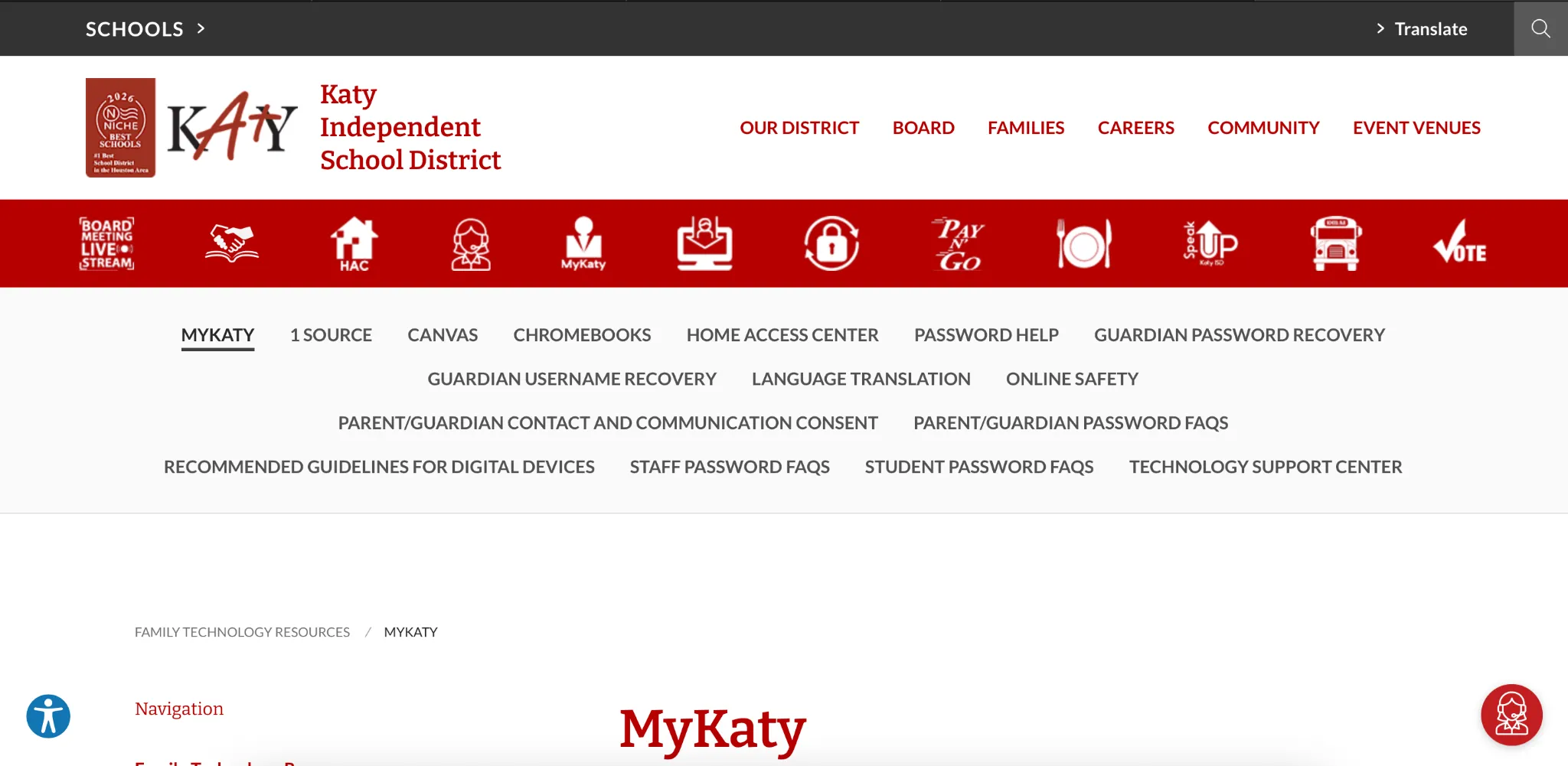
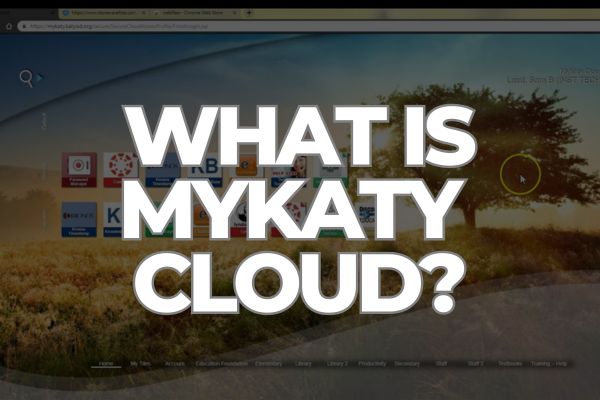
What is MyKaty Cloud? - Letsdiskuss

Key Features of MyKaty Cloud

  1. Single Sign-On (SSO) MyKaty Cloud's SSO feature is one of its most significant advantages. It allows users to log in once and gain access to a wide range of applications without needing to enter their credentials multiple times. This not only saves time but also reduces the likelihood of password fatigue and security risks associated with using multiple passwords.

  2. Multi-Factor Authentication (MFA) To enhance security, MyKaty Cloud requires users to set up Multi-Factor Authentication (MFA). This additional layer of security ensures that even if a user's password is compromised, unauthorized access is still prevented. MFA typically involves verifying the user's identity through a secondary method, such as a text message or an authentication app.

  3. Access to Educational Resources MyKaty Cloud provides students and staff with easy access to a variety of educational resources. These resources include online textbooks, learning management systems (LMS), and other digital tools that support the learning process. By centralizing these resources, MyKaty Cloud helps create a more efficient and organized digital learning environment.

  4. Parental Involvement Guardians can also benefit from MyKaty Cloud by accessing the Home Access Center (HAC). This feature allows parents to stay informed about their child's academic progress, attendance, and other important information. By providing a single platform for accessing these details, MyKaty Cloud fosters better communication and collaboration between parents and the school.

  5. User-Friendly Interface MyKaty Cloud is designed with a user-friendly interface that makes it easy for users to navigate and find the information they need. The portal is accessible from any device with an internet connection, ensuring that users can stay connected and informed, whether they are at home, at school, or on the go.

Benefits of MyKaty Cloud

  1. Improved Efficiency By consolidating multiple applications and resources into a single platform, MyKaty Cloud significantly improves efficiency for students, staff, and guardians. Users no longer need to remember multiple passwords or navigate through various websites to access the tools they need.

  2. Enhanced Security The implementation of SSO and MFA in MyKaty Cloud ensures that user accounts are more secure. These features reduce the risk of unauthorized access and protect sensitive information from potential threats.

  3. Better Communication MyKaty Cloud facilitates better communication between students, staff, and guardians by providing a centralized platform for accessing important information. This improved communication helps create a more supportive and collaborative educational environment.

  4. Increased Accessibility The cloud-based nature of MyKaty Cloud ensures that users can access the platform from any device with an internet connection. This increased accessibility allows students and staff to stay connected and engaged with their educational resources, regardless of their location.

Conclusion

MyKaty Cloud is a powerful tool that enhances the digital experience for students, staff, and guardians within the Katy Independent School District. By providing a secure, user-friendly platform for accessing a wide range of applications and resources, MyKaty Cloud helps create a more efficient, organized, and supportive educational environment. Its key features, such as Single Sign-On, Multi-Factor Authentication, and access to educational resources, make it an invaluable asset for the Katy ISD community.

Answered by
Henry Cavill
View Profile

🥰 lovely

Updated on09/10/25
0