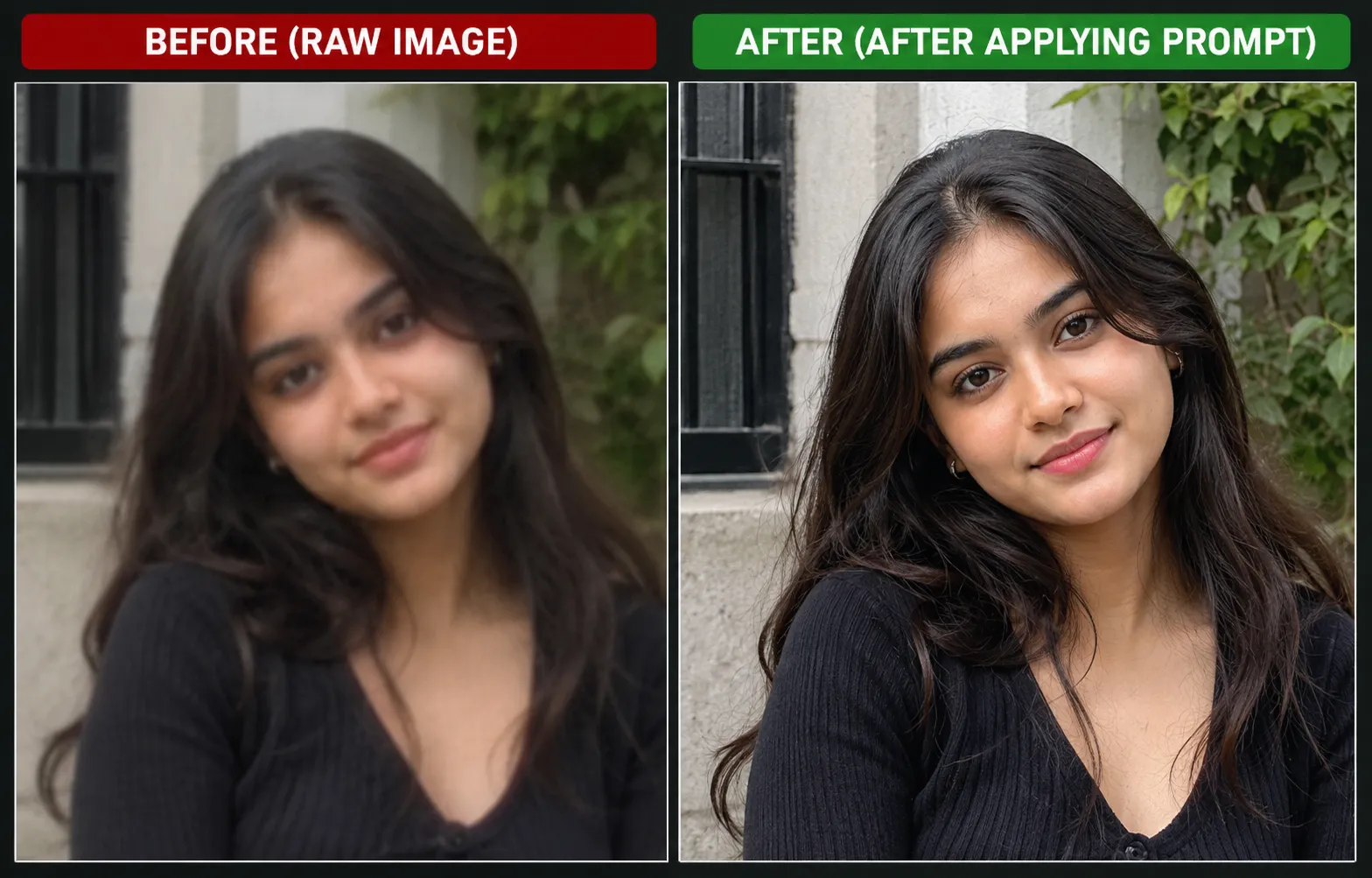
Improving image quality with AI is a useful way to make old, blurry, or low-resolution photos look clearer. However, when enhancing a portrait, the main challenge is improving sharpness and detail without changing the person's original face, expression, skin tone, or identity.
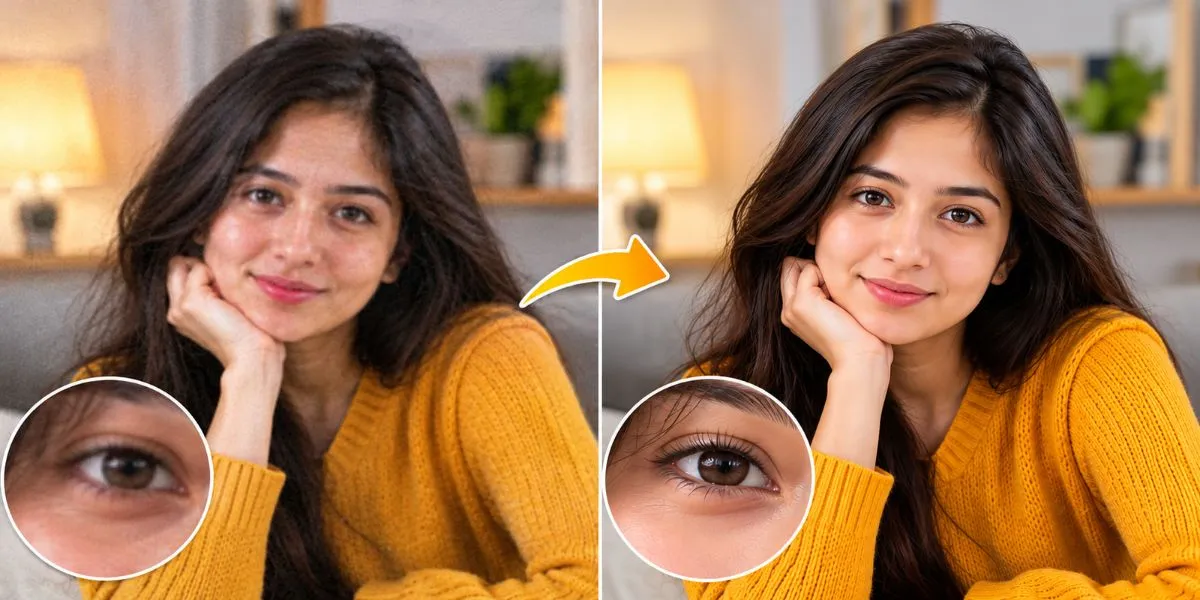
The best approach is to use an image enhancement prompt that prioritizes facial identity preservation. Instead of asking the AI to recreate or beautify the person, instruct it to enhance the existing image while keeping facial features unchanged.
1. Best AI Prompt to Enhance Image Quality Without Changing the Face
You can copy and paste the following prompt into an AI image editing or enhancement tool that supports image uploads.
AI image enhancement prompt:
"Enhance the quality of the uploaded image while preserving the person's exact original facial identity and features. Improve image sharpness, resolution, clarity, lighting, exposure, and color balance. Reduce noise, grain, and compression artifacts while retaining natural skin texture and realistic details.
Do not change the face shape, eyes, eyebrows, nose, lips, jawline, skin tone, facial proportions, hairstyle, age, expression, or any identifying facial details. Do not apply beauty filters, skin smoothing, artificial retouching, or face reconstruction that changes the person's appearance. Preserve the original pose, background, clothing, and composition. Make only the necessary image-quality improvements so the final result looks like a clearer, higher-resolution version of the original photograph, not a newly generated image."
2. Important Instructions for Better Results
To get more consistent results, keep these points in mind:
Preserve facial identity: Explicitly instruct the AI not to modify facial features or proportions.
Improve resolution: Ask for upscaling and improved clarity rather than generating a new portrait.
Retain natural skin texture: Avoid excessive smoothing, which can make faces look artificial.
Correct lighting carefully: Improve exposure and contrast without changing the person's natural skin tone.
Remove noise gently: Reduce grain and compression artifacts without removing important details.
Keep the original composition: Avoid unnecessary changes to the background, hairstyle, clothing, or pose.
3. Which AI Settings Should You Use?
If your image editing tool provides these settings, the following approach can help:
Setting | Recommended approach |
|---|---|
Image upscaling | Use 2× or 4×, depending on the original resolution |
Denoising | Low to moderate |
Face restoration | Off or low if it changes facial identity |
Image-to-image strength | Low, where available |
Sharpening | Moderate |
Skin retouching | Off |
Generative changes | Minimize them |
Exact setting names and values vary by tool. A higher upscaling factor does not automatically mean a more accurate result.
4. How to Enhance Different Types of Photos
For old or blurry photos: Focus on noise reduction, scratch removal, contrast correction, and careful upscaling. Avoid aggressive face reconstruction because the original details may be missing.
For selfies and portraits: Prioritize natural skin texture, accurate facial proportions, and balanced lighting. Avoid beauty filters or artificial skin smoothing.
For low-resolution images: Use a dedicated upscaling tool and compare the result with the original. AI may generate plausible details that were not actually present in the source image.
5. How to Prevent AI From Changing Facial Details
Even with a carefully written prompt, an AI tool may alter small facial features while enhancing an image. This is especially common when the original photo is extremely blurry or has very low resolution.
For better results, use a tool with a dedicated image-enhancement mode instead of a full image-generation mode. Keep the enhancement strength low, compare the output with the original, and undo any changes that affect the person's identity.
Remember that AI can improve the appearance of existing details, but it cannot always recover information that was never captured in the original photograph.
Conclusion
The best AI prompt for improving image quality without changing facial details should clearly prioritize identity preservation, natural texture, resolution enhancement, and minimal editing. Use the prompt above as a starting point, choose conservative enhancement settings, and compare the final image with the original.
Also Read: How can beginners write a good AI image promt for realistic AI art?