Advertisement

Advertisement banner

Advertisement

Advertisement banner

Advertisement

Advertisement banner
R

Ram kumar

Apr 20, 2026entertainment

How to Use Google Stadia for Online Gaming

3 Answers
2

S
@savitasingh8858Mar 28, 2019

Google has taken its initiative in acquiring a big fat piece of gaming pie via launching Stadia, new cloud gaming service.

If you haven’t heard Stadia before, let me introduce you Stadia is a streaming service for video games that will provide cross-platform gaming experience. With this cloud-based gaming environment, a user can play a video game on any internet-connected device, eliminating the need for games consoles. Stadia will allows you to play full titles inside your Chrome browser, Chromecast, and Pixel devices. Google confirmed it will deliver with just a click. No downloads, no limits, no boxes,\"
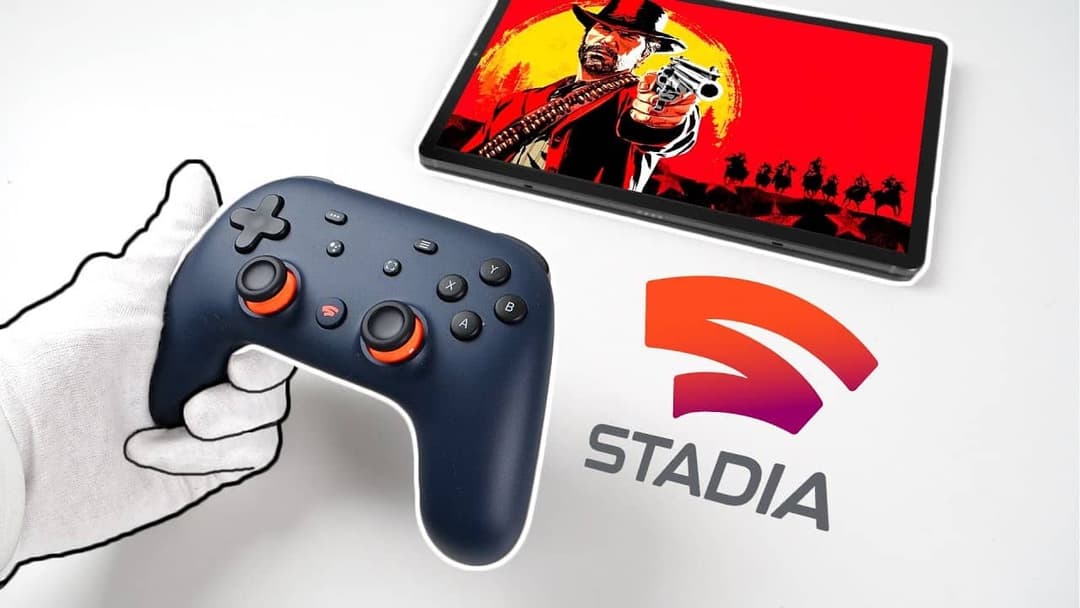
Article image
However when exactly it will be available is unanswered, but highly expectation that Stadia, is set to launch sometime this year. Even the cost of this service is not answered on Tuesday while Google unveiled this video-game streaming platform. Google also announced already available controllers will work with games on Stadia. In addition to it, Google also introduced Google Stadia Controller. The controller features the capture button, Google Assistant button.
All you need is a high-speed internet connection with a little technical requirement and lack of download needs. So make sure your Wi-Fi should have high data transmit and receive rates to play games on Stadia.
Here’s the time to say goodbye to a traditional video-game.

0
1
M
@mahadevbook7502Mar 28, 2026

Using Google Stadia for online gaming is quite simple and beginner-friendly. You just need a stable internet connection, a Google account, and a compatible device like a smartphone, laptop, or smart TV. After signing in, you can browse games, purchase or access them, and start playing instantly without downloading.

However, many users today also explore alternative platforms for a more flexible experience. For example, offers a simple interface and smooth access for users looking for online gaming options. With the mahadev app, you can easily use your mobile device anytime, anywhere. The Mahadev Betting App is also designed for fast performance and easy navigation.

If you prefer a platform that is lightweight and mobile-optimized, you can check to explore its features and get started quickly.

 
0
React
M
@mohdadeeb2272Apr 18, 2026

To use Google Stadia for online gaming, you first need a Google account and a stable high-speed internet connection. Then sign in on a supported device (like Chrome browser, Android phone, or Chromecast), choose a game from the Stadia library, and start playing instantly no downloads required. A controller (Stadia or compatible one) improves the experience, but keyboard and mouse also work on PC.

0
React