
You can reduce the size of an Outlook OST file, but you cannot directly "split" an OST file into multiple OST files using Microsoft Outlook. Instead, Outlook provides features such as Archive, Mailbox Cleanup, and Compact Now to reduce the OST file size. If you specifically need to divide mailbox data into smaller files, the usual approach is to export selected data into multiple PST files or use a professional OST splitting tool.
Many people search for "split OST file" because Outlook starts becoming slow, freezes frequently, takes longer to synchronize emails, or displays mailbox errors. In most cases, the real goal isn't creating multiple OST files but improving Outlook's performance and reducing the risk of OST corruption.
About the OST File
An OST (Offline Storage Table) file is Outlook's offline copy of your mailbox.
It stores:
-
Emails
-
Attachments
-
Contacts
-
Calendar
-
Tasks
-
Notes
This allows you to continue working even without an internet connection. Once Outlook reconnects to the mail server (such as Microsoft Exchange or Microsoft 365), your changes automatically synchronize.
Unlike a PST file, an OST file is linked to a specific Outlook profile and mailbox.
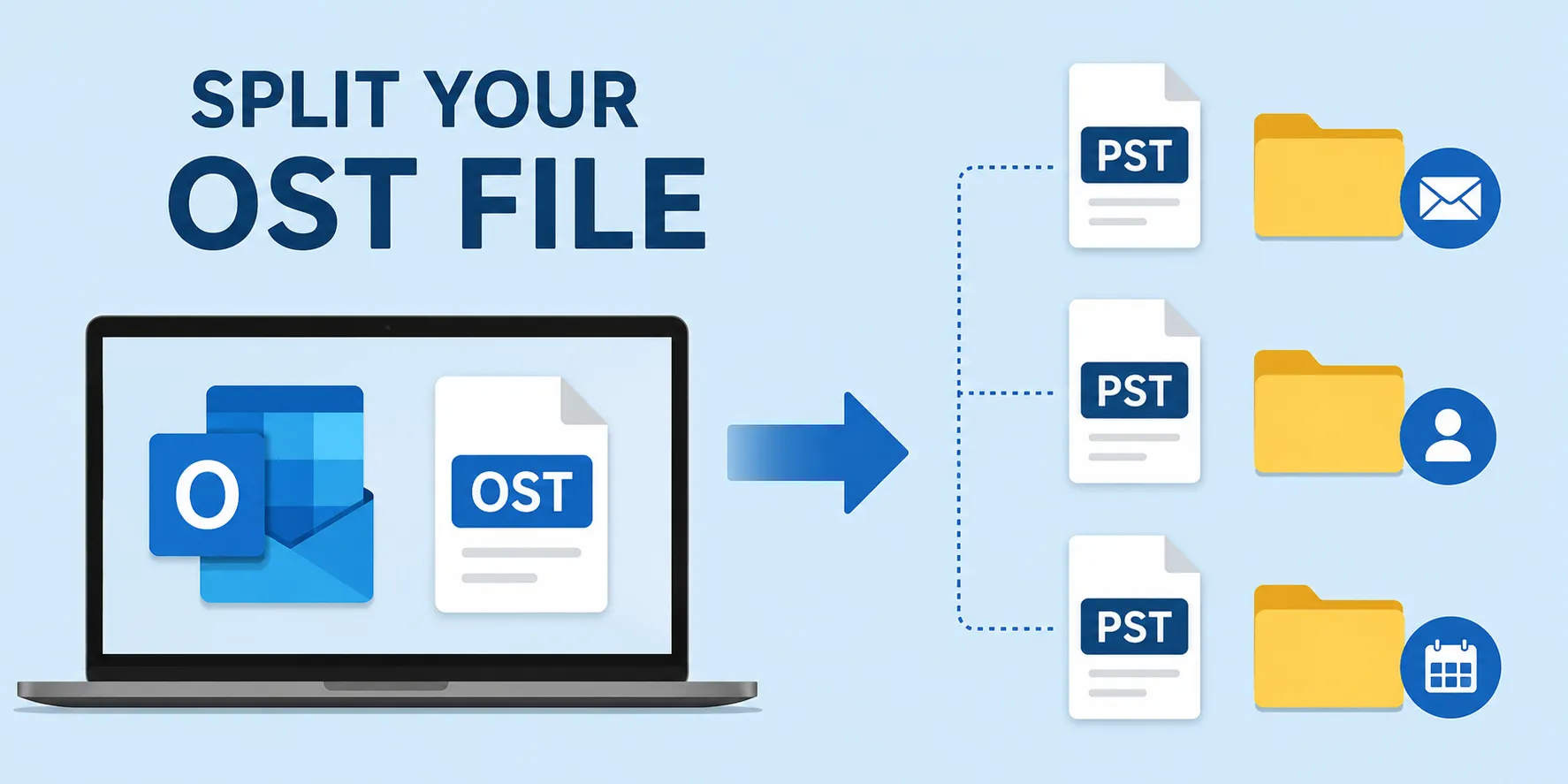
Available Methods
Depending on your objective, there are several ways to manage a large OST file.
| Method | Best For | Difficulty |
|---|---|---|
| Archive Old Emails | Reduce OST size | Easy |
| Mailbox Cleanup | Remove unnecessary data | Easy |
| Compact OST File | Recover unused space | Easy |
| Export to PST | Move older emails | Medium |
| Professional OST Splitter | Large enterprise mailboxes | Advanced |
For most users, Outlook's built-in tools are sufficient. Third-party software is generally considered only when dealing with very large, inaccessible, or orphaned OST files.
Step-by-Step Solutions
Method 1: Archive Old Emails (Recommended)
This is one of the safest and most effective methods.
Steps:
-
Open Microsoft Outlook.
-
Click File.
-
Select Tools (or Cleanup Tools, depending on your Outlook version).
-
Choose Archive.
-
Select the folders you want to archive.
-
Choose a date.
-
Save the archive as a PST file.
Archiving moves older emails out of the active mailbox, reducing the amount of data stored in the OST file.
Method 2: Compact the OST File
Deleting emails doesn't immediately reduce the file size.
The empty space remains inside the OST until you compact it.
Steps:
-
Open Outlook.
-
Go to File → Account Settings → Account Settings.
-
Open the Data Files tab.
-
Select your OST file.
-
Click Settings.
-
Choose Compact Now.
This removes unused space and can noticeably improve Outlook performance.
Method 3: Mailbox Cleanup
Outlook includes built-in mailbox management tools.
You can:
-
Delete large emails.
-
Empty Deleted Items.
-
Remove unnecessary attachments.
-
Find old messages.
These simple maintenance tasks often reduce the OST size without requiring additional software.
Method 4: Export Older Data to PST
If you don't need older emails every day:
-
File
-
Open & Export
-
Import/Export
-
Export to Outlook Data File (.pst)
You can then keep only recent emails in Outlook while safely storing older data in separate PST files.
This is one of the most common approaches used by IT administrators for long-term mailbox management.
Method 5: Professional OST Splitter Software
For very large mailboxes, some professional utilities can split OST data into multiple PST files using filters such as:
-
File size
-
Date
-
Year
-
Folder
These tools are generally intended for enterprise users, migration projects, or recovering oversized mailbox data.
Precautions
Before making any changes to your Outlook data:
-
Close Outlook properly.
-
Back up important mailbox data.
-
Verify that synchronization with Exchange or Microsoft 365 is complete.
-
Don't manually rename or move the OST file.
-
Avoid interrupting Outlook while it's compacting or exporting data.
One mistake I often see is users deleting the OST file without understanding how Outlook recreates it. While Outlook can usually rebuild an OST connected to an Exchange or Microsoft 365 account, it's still much safer to ensure everything is synchronized before deleting or recreating any data file.
Common Problems
Outlook Is Still Slow
The issue may not be the OST size alone.
Other causes include:
-
Too many Outlook add-ins
-
Large shared mailboxes
-
Slow synchronization
-
Corrupted Outlook profile
Compact Now Doesn't Reduce the File Much
Compacting only removes unused space.
If the mailbox itself is still large, you'll need to archive or export older items.
Can I Split an OST into Multiple OST Files?
No.
Outlook doesn't provide a built-in feature to divide one OST into multiple OST files.
Most solutions involve creating one or more PST files instead.
Frequently Asked Questions (FAQs)
1. Can Outlook split an OST file automatically?
No. Outlook doesn't have a native option to split one OST into multiple OST files. It supports archiving, exporting, and mailbox cleanup instead.
2. What's the safest way to reduce an OST file size?
Using Archive, Mailbox Cleanup, and Compact Now are generally the safest built-in methods.
3. Is it better to use a PST instead of an OST?
They serve different purposes. OST files support offline synchronization with Exchange or Microsoft 365, while PST files are mainly used for local storage and archiving.
4. Will deleting my OST file delete my emails?
If your mailbox is fully synchronized with the mail server, Outlook usually recreates the OST automatically. However, you should always confirm synchronization before deleting the file.
5. When should I consider professional OST splitter software?
If your mailbox is extremely large or inaccessible, or you're performing enterprise-level migration or recovery, professional tools can provide more flexible splitting options.
OST File Management at a Glance
| Feature | Recommendation |
|---|---|
| Can Outlook split an OST? | ❌ No (not directly) |
| Best Built-in Solution | Archive old emails |
| Reduce File Size | Compact OST + Mailbox Cleanup |
| Create Smaller Files | Export to PST |
| For Large Enterprise Mailboxes | Professional OST splitter tools |
| Always Do First | Back up data and verify synchronization |
 Answered by